Registration, the door, and an app that is never out of date.

Three steps, in the order an event actually runs them. Get the list, scan people in, then know who came.

Book a demo30 minutes. We'll walk your event through it.
Create your accountFree while we're early. Build your event today.

Get the list

Collect registrations on your own event page, or import the orders you already sold as a CSV from your current ticketing platform. Either way you end up with one list of people, not one list of purchases, and every registration carries its own QR code.
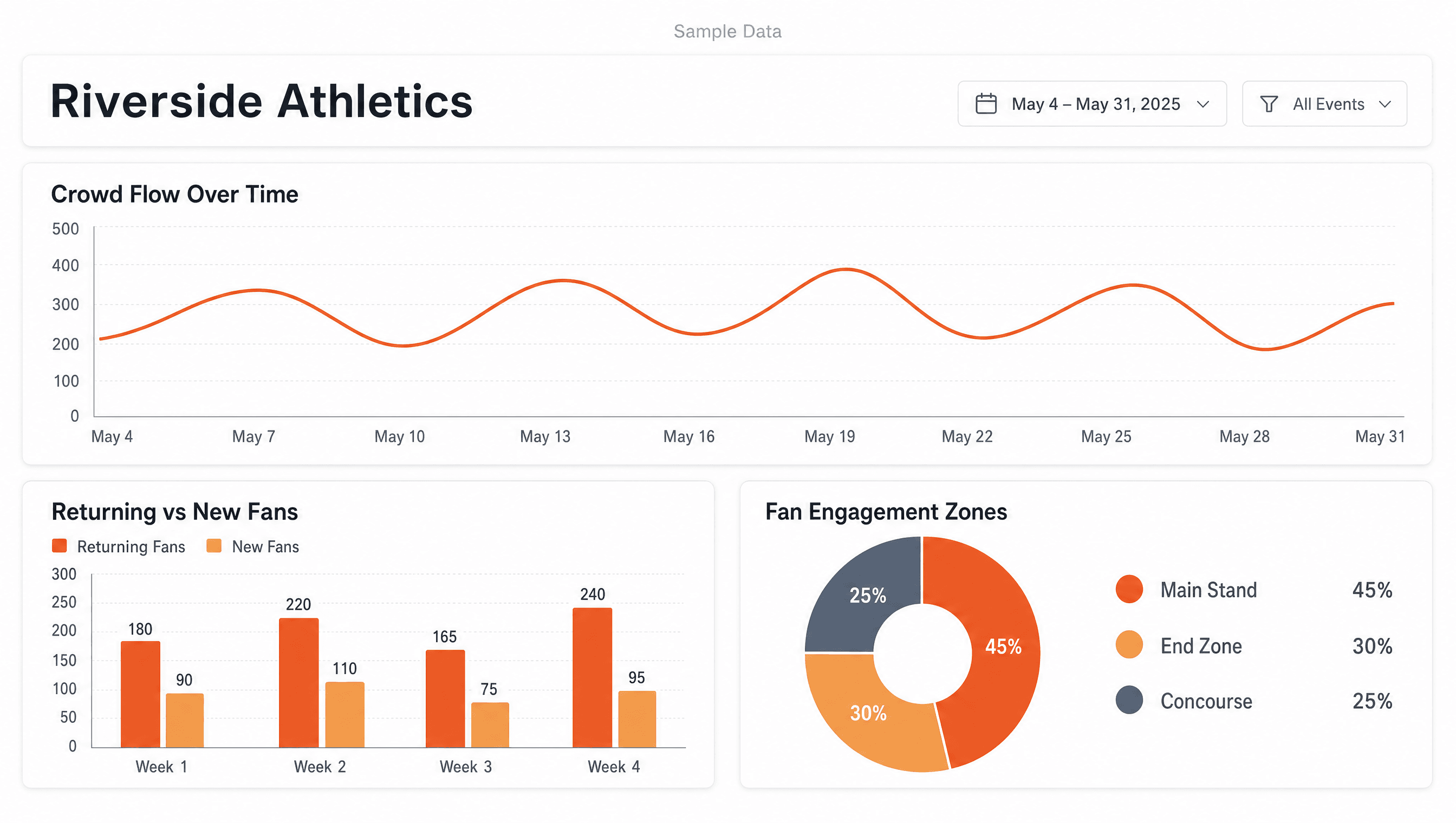
Zeva event dashboard — sample data
Sample data. Fictional event. Figures are illustrative.
Zeva event dashboard — sample data
Sample data. Fictional event. Figures are illustrative.

Scan them in at the door

Your staff open the scanner on a phone they already carry and check people in. No hardware to buy and nothing to install in the venue. Scanning the same code twice says the person is already in rather than throwing an error at a door with a line behind it.

Know who came, and change the app while they are there

The count climbs live as people arrive. When the schedule moves, you change it in Zeva and announce it in the same tap, because the attendee app reads from your event instead of a build you shipped weeks ago. When the doors close you get registered against attended, and who returned from last time.

Zeva event dashboard — sample data
Sample data. Fictional event. Figures are illustrative.

Questions you might have

Do I have to use all of it?

No. Import a CSV and run only the door, or run registration end to end. Each piece works alone.

What does setup look like?

Create the event, paste your list or open registration, and the QR codes exist. Most organizers are scannable the same day.

See your event on it.

Book a demo30 minutes. We'll walk your event through it.
Create your accountFree while we're early. Build your event today.